Task Tracking Software for Teams: A Complete Guide


Task tracking software for teams helps businesses organize assignments, monitor progress, manage deadlines, and coordinate responsibilities. Learn which features matter, how to choose the right solution, and how to connect task tracking with workload management.
When several people work toward the same objective, keeping track of the work can quickly become more complicated than completing the tasks themselves. Assignments are discussed in meetings, updates arrive through messages, deadlines change, and responsibilities sometimes become unclear. Even when everyone is working hard, managers can struggle to understand what is progressing, what is delayed, and what needs attention before a deadline is missed.
Task tracking software for teams addresses this challenge by bringing assignments, ownership, priorities, deadlines, and progress into a shared workspace. Instead of relying on individual spreadsheets or repeatedly asking colleagues for updates, teams can use one system to understand the current state of their work and coordinate what happens next.
The real value goes beyond knowing whether a task is complete. Effective task tracking connects individual responsibilities to projects, team capacity, and delivery expectations, helping organizations make better decisions about how work should be planned and managed.
What Is Task Tracking Software for Teams?
Task tracking software for teams is a digital solution that helps groups organize assignments, monitor progress, coordinate responsibilities, and manage work from initial assignment through completion.
Unlike a personal to-do list, a team task tracker is designed to make work visible across multiple people. Tasks can have clearly defined owners, deadlines, priorities, statuses, comments, attachments, and project associations, allowing employees and managers to understand not only what needs to be done but also who is responsible and how the work is progressing.
For example, a marketing team preparing a product launch may need to coordinate copywriting, graphic design, landing page development, advertising, and final approvals. Each activity has its own owner and deadline, but the tasks are also connected. If the design work is delayed, the campaign launch may be affected.
A shared task tracking system helps make these relationships visible, allowing the team to identify delays, adjust priorities, and coordinate its work before small problems become larger delivery issues.
Why Teams Need a Centralized Task Tracking System
Many teams begin with simple tools because their workflows are relatively straightforward. A spreadsheet, shared document, messaging application, or individual checklist may be sufficient when only a few people are involved.
As the team grows, however, the same approach can become difficult to maintain. Information becomes scattered, updates are repeated across different channels, and employees may work from outdated versions of a task list. Managers can end up spending more time collecting status updates than helping the team move work forward.
A centralized team task tracking software solution creates a shared reference point for everyday work. It helps teams maintain consistent information about assignments and reduces the uncertainty that comes from managing responsibilities across disconnected systems.
The main benefits include:
Clear ownership: Every important task has a responsible person, reducing confusion about who should take action.
Better visibility: Team members can see what is pending, in progress, completed, overdue, or awaiting review.
More reliable deadlines: Upcoming commitments remain visible, making it easier to identify work that needs attention.
Improved collaboration: Relevant comments, files, and updates can remain connected to the task rather than scattered across conversations.
Faster decision-making: Managers can identify bottlenecks and make adjustments without manually reconstructing the status of every project.
Stronger accountability: Task history and structured workflows can help establish what happened, who was responsible, and whether work was reviewed.
These benefits are most significant when task tracking becomes part of the team's normal workflow rather than another administrative activity employees must remember to complete.
Task Tracking vs. Project Management
Task tracking and project management are closely related, but they operate at different levels.
Task tracking focuses on individual assignments and their progress. Project management coordinates those assignments toward a broader outcome, taking into account milestones, dependencies, resources, deadlines, and delivery expectations.
CapabilityTask TrackingProject ManagementMain focusIndividual assignmentsOverall project deliveryOwnershipWho is responsible for each taskWho is responsible for tasks, milestones, and outcomesProgressTask status and completionTask progress and project-level progressDeadlinesIndividual task deadlinesTask deadlines and project milestonesDependenciesMay identify related tasksCoordinates dependencies across the projectResourcesMay show assigned workMay include broader resource and capacity planningReportingTask-level visibilityProject and delivery visibility
For small teams, a task tracker may cover most everyday requirements. For organizations managing multiple projects, deadlines, and departments, a more comprehensive task management platform can connect task execution with project planning and broader operational visibility.
The important consideration is how well the system supports the way your team actually works.
Essential Features of Team Task Tracking Software
The right feature set depends on the team's size, workflow, and complexity. However, a useful task tracking solution should make it easy to organize work, understand responsibilities, and identify what needs attention.
FeatureWhy It MattersTask creation and assignmentDefines the work and establishes clear ownershipPrioritiesHelps teams distinguish critical assignments from routine workDeadlines and remindersKeeps time-sensitive responsibilities visibleStatus trackingShows whether work is pending, active, completed, or blockedComments and attachmentsKeeps relevant context close to the taskProject organizationConnects individual tasks to larger initiativesCollaborationHelps colleagues coordinate work and share updatesWorkload visibilityHelps managers understand how assignments are distributedApproval workflowsSupports tasks that require review before completionActivity historyImproves traceability and accountabilityReportingHelps managers understand progress and potential delivery risks
A long feature list does not automatically make a platform better. The goal is to select software that provides the information and control the team needs without introducing unnecessary complexity.
How Task Tracking Improves Team Collaboration
Collaboration becomes difficult when people have different understandings of the same work. One employee may believe a task is waiting for approval, while another assumes it has already been completed. A manager may expect a deliverable on Friday, while the assigned employee is working toward a different date.
A shared task tracker helps reduce these misunderstandings by making responsibilities and progress visible.
When employees can see who owns a task, what has been completed, which information is missing, and what needs to happen next, they can coordinate more effectively. Updates can be attached to the relevant work, making it easier for colleagues to understand decisions without searching through long conversations.
Consider a content production workflow in which a writer prepares an article, an editor reviews it, a designer creates supporting graphics, and a marketing manager approves publication. With task tracking software, each responsibility can be assigned and monitored while the overall process remains visible to everyone involved.
This creates a clearer workflow and helps prevent important work from getting lost between departments or stages.
How to Track Tasks Without Micromanaging Employees
Task tracking should improve coordination, not turn every activity into a reporting exercise.
When a system requires employees to update too many fields, duplicate information, or explain every minor action, it can create frustration without improving visibility. At the other extreme, a tracker that is rarely updated becomes unreliable and forces managers to request information manually.
The most effective approach is to track the information needed to manage work while keeping the process simple.
Teams can establish a few practical rules:
Define the expected outcome. Tasks should explain what needs to be delivered rather than use vague descriptions such as "work on campaign."
Assign clear ownership. Each task should have someone responsible for moving it forward, even when several people contribute.
Set realistic deadlines. Dates should reflect the required work and relevant dependencies.
Update progress when it changes. Status updates should provide useful information about the actual state of the task.
Escalate blockers early. When a task cannot progress, the reason should be visible so that someone can help resolve it.
Use task information to support decisions. Managers should focus on removing obstacles, balancing work, and protecting delivery rather than monitoring activity for its own sake.
This approach allows task tracking to create accountability while preserving employee autonomy.
Why Task Counts Do Not Tell the Whole Story
One of the limitations of basic task tracking is that every assignment can appear equal even when the actual effort involved is very different.
Imagine two employees working on the same project. One has twelve small administrative tasks, while the other has four complex deliverables with overlapping deadlines. A simple task counter may suggest that the first employee has the heavier workload, even though the second employee may be under considerably more pressure.
This is why workload management software is an important complement to task tracking.
SituationWhat Task Counts ShowWhat Workload Visibility AddsOne employee has 12 tasksMore assigned tasksContext about effort, priorities, and deadlinesAnother has 4 tasksFewer assigned tasksWhether those tasks consume most available capacitySeveral deadlines overlapA list of due datesA clearer view of competing commitmentsA new project is assignedAdditional tasksWhether the team can realistically absorb the workOne department is overloadedMany open assignmentsAn opportunity to review allocation and capacity
Task tracking tells you what work exists. Workload management helps you understand how that work affects people and delivery.
For managers overseeing multiple projects, combining these views makes it easier to identify imbalances and adjust assignments before deadlines begin to slip.
Connecting Task Tracking With Capacity Planning
Capacity planning helps organizations understand how much work individuals and teams can reasonably take on during a particular period. When connected to task tracking, it provides a better foundation for deciding whether new assignments can be accepted without disrupting existing commitments.
For example, a team may have enough employees to complete a new client project in theory, but several of those employees may already be responsible for high-priority work. Assigning the new project without considering existing workload could create overlapping deadlines, delays, or unnecessary pressure.
A system that connects task tracking, workload management, and capacity planning gives managers a more complete view of the situation. They can assess existing assignments, review upcoming deadlines, and decide whether work should be reassigned, rescheduled, or supported with additional resources.
This is particularly valuable for agencies, creative teams, production departments, operations teams, and other organizations where employees often contribute to several projects at once.
How to Choose the Right Task Tracking Software for Your Team
Selecting a platform should begin with the team's operational needs rather than a comparison of feature lists alone. A small team may prioritize ease of use and simple task organization, while a growing organization may need workload reporting, structured approvals, and visibility across departments.
Before choosing a solution, evaluate the following areas:
Workflow fit: Can the software reflect the way your team creates, assigns, reviews, and completes work?
Ease of adoption: Can employees update tasks without unnecessary steps or extensive training?
Project visibility: Can individual assignments be connected to broader projects and delivery milestones?
Workload and capacity: Can managers understand how assignments are distributed and whether teams have available capacity?
Collaboration: Can relevant files, comments, and decisions stay connected to tasks?
Accountability: Does the platform make ownership, approvals, and task history clear?
Scalability: Can it support more employees, projects, and departments as the organization grows?
Reporting: Can managers identify progress, delays, and potential workload problems without relying entirely on manual updates?
The best task tracking software for teams is the one that makes everyday work easier to coordinate while giving managers enough visibility to make informed decisions.
How uboord Brings Team Task Tracking Together
uboord is designed for teams that need more than a shared list of assignments. It connects task management, project management, workload management, capacity planning, accountability, and delivery tracking in one workspace, helping employees and managers work from a more consistent view of responsibilities and progress.
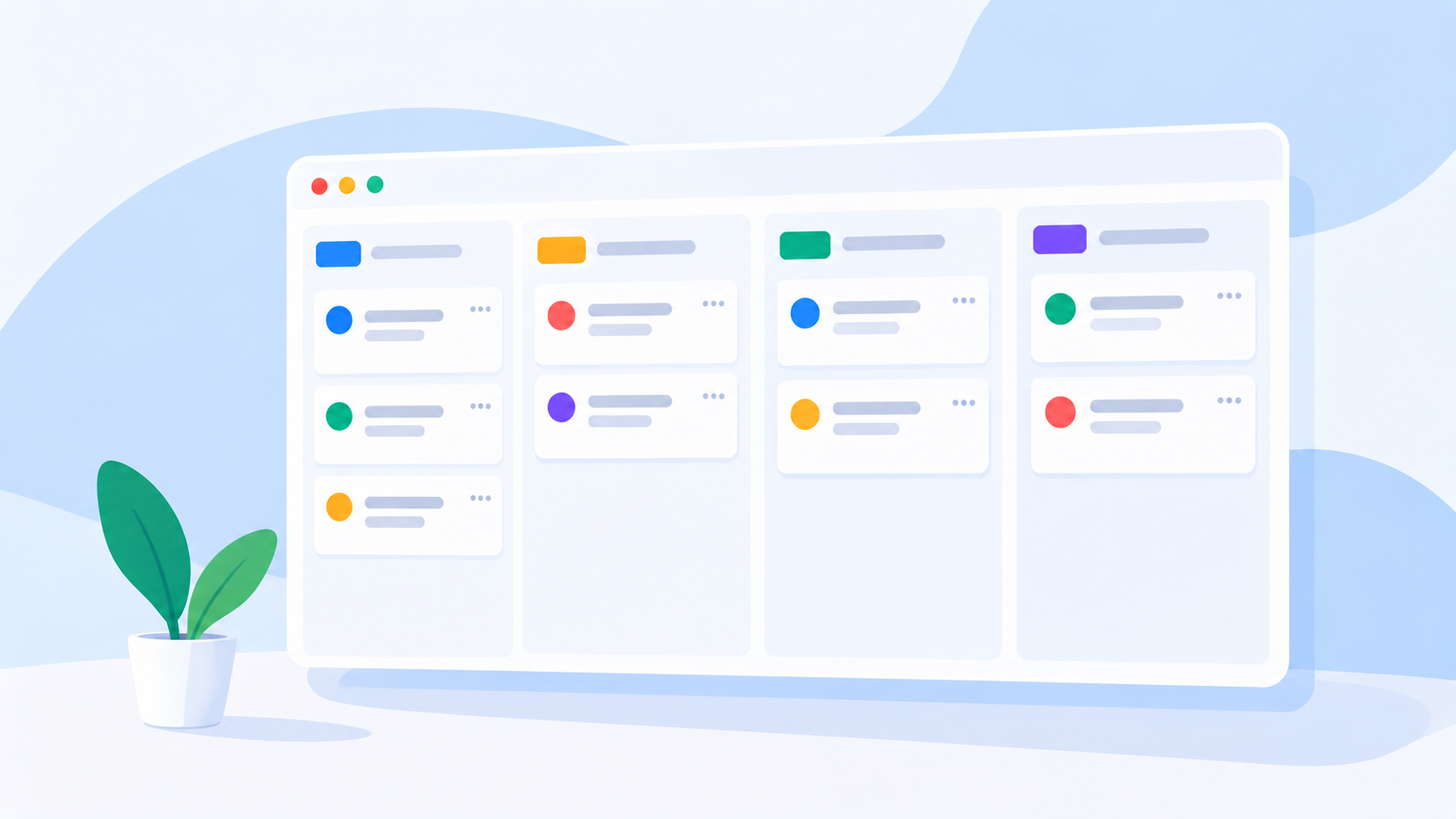
Tasks can include owners, priorities, deadlines, files, links, and comments, while task boards help teams organize their work according to their preferred structure. This keeps the practical details of execution connected to the tasks themselves rather than distributed across separate systems.
A key part of uboord is its workload engine, which considers task size, priority, deadlines, capacity, and overlapping work rather than relying only on the number of assignments. This helps managers develop a more meaningful understanding of how work is distributed and where capacity pressure may be emerging.
uboord also supports a structured task lifecycle that can move from Assigned → In Progress → Completed → Approved → Locked → Archived. This allows teams that need review and approval to connect task progress with a more formal process for completing work and maintaining accountability.
For growing teams, the benefit is the connection between daily execution and broader delivery. Employees can understand their responsibilities, managers can review workload and progress, and organizations can make more informed decisions about how work should be allocated.
Best Practices for Getting More From Team Task Tracking Software
Software alone cannot fix unclear priorities or inconsistent processes. To get lasting value from a task tracking system, teams need to establish habits that keep information accurate and useful.
Start by keeping task descriptions specific, assigning clear owners, and using priorities consistently. Make sure deadlines are realistic, and keep relevant project information attached to the work so employees do not have to search across several systems to understand what is expected.
It is equally important to review the board regularly. Tasks that remain in progress for too long, work that repeatedly waits for approval, and assignments that accumulate around the same person may indicate a process or capacity problem that needs attention.
Finally, avoid creating parallel tracking systems unless there is a clear reason to do so. When the official task board and a separate spreadsheet contain different information, the team loses confidence in both. A shared source of truth makes collaboration easier and reduces unnecessary reporting.
Final Thoughts
Task tracking software for teams helps organizations bring assignments, ownership, deadlines, and progress into one shared environment. It reduces uncertainty, improves collaboration, and gives managers a clearer view of the work required to deliver projects successfully.
But the greatest value comes when task tracking is connected to the broader realities of work. Project context explains why tasks matter, workload visibility reveals how responsibilities are distributed, and capacity planning helps managers understand whether the team can realistically meet its commitments.
For a small team, this may begin with a straightforward task board. As projects and departments grow, a more connected system can help maintain visibility and accountability without relying on constant status requests or disconnected spreadsheets.
Ready to give your team a clearer view of its work? Start with uboord to connect task tracking, projects, workload, capacity, and delivery in one workspace.
Visit uboord.com and make team task tracking a practical part of how your organization gets work done.
- #task-tracker